DrafSight is a professional 2D CAD solution that helps engineers and designers work faster and more efficiently. With a wide range of built-in keyboard shortcuts, DraftSight enables users to streamline repetitive tasks and enhance daily drafting productivity.
Here are some commonly used DraftSight shortcut keys to help streamline 2D drafting tasks:
1. Function Keys
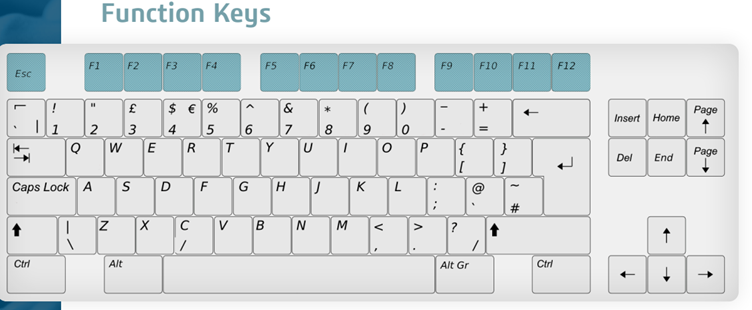
Function Keys
Description
ESC
Cancels the currently activated DraftSight Command
F1
Display the help file
F2
Shows and hides the Command history in a separate Command window
F3
Turns EntitySnaps on and off
F4
Displays the Recent Documents Window
F5
Changes the current isometric grid into the next isoplane in the sequence
F6
Turns Dynamic CCS on and off
F7
Turns the Grid display on and off
F8
Turns Ortho Mode on and off
F9
Turns Snap Mode on and off
F10
Turns Polar Guides on and off
F12
Turns QuickInput Mode on and off
2. Keyboard Shortcuts
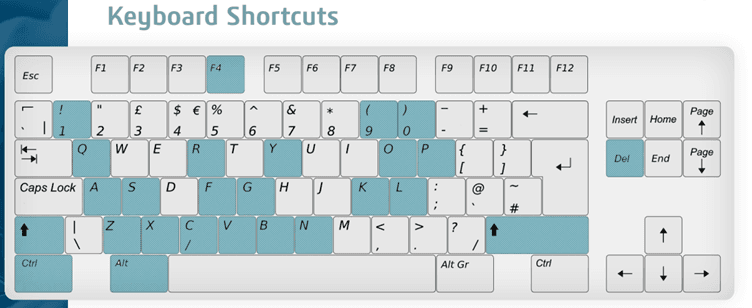
Keyboard Shortcuts
Description
Ctrl + 0
Toggles between viewing a maximized drawing area and the generic display mode
Ctrl + 1
Toggles the visibility of the Properties Palette
Ctrl + 9
Toggles the visibility of the Command Window
Ctrl + A
Selects all the entities of the current Viewport (except for frozen entities)
Ctrl + B
Toggles Snap Mode While executing a command
Ctrl + C
Copy selected entities onto the clipboard
Ctrl + F
Finds Text with the option of replacing them in Notes, Dimension Text, and Annotations
Ctrl + G
Toggles the display of the Grid while executing a command
Ctrl + K
Attach a hyperlink to drawing entities or edit an existing hyperlinked entity
Ctrl + L
Toggles Ortho Mode during command execution
Ctrl + N
Prompts for a template to open a new file
Ctrl + O
Open an existing drawing file
Ctrl + P
Plots the drawing to a plotter, printer, or file
Ctrl + Q
Closes the software
Ctrl + R
Cycle through Paper Space or Sheet Space ViewTiles without having to individually click through them
Ctrl + S
Saves the drawing
Ctrl + V
Pastes or insert saved data from the clipboard
Ctrl + Y
Reverses the effects of the previously executed U or UndoN command
Ctrl + Z
Reverses the previously executed command
Ctrl + Shift + C
Copy selected entities with specific reference points onto the clipboard
Ctrl + Shift + S
Save the drawings as a new drawing with a new file name
Ctrl + Shift + V
Pastes or inserts entities from the clipboard as a block
Ctrl + F4
Exits the drawing, but not DraftSight
Alt + F4
Exits DraftSight
Del
Removes selected entities from the drawing
Shift
Toggles Ortho Mode during command execution
>>> If you encounter an issue related to DraftSight shortcut keys, you may contact [email protected] for assistance.