Most of us have run into a file that our computer simply cannot open. For people working with CAD data, that situation can occur quite often. You might need to:
Review changes from a colleague
Check a dimension on the shop floor
Refer to a drawing during a meeting
Confirm that an older file still opens correctly
A dedicated DWG viewer is a cost effective way to handle all of this, without needing a full CAD licence or launching a full design session. The DraftSight DWG Viewer offers a simple and reliable way to open and view DWG files with accuracy.
What is a DWG File
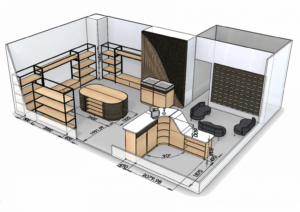
DWG (short for “drawing”) is a file format used to store 2D and 3D CAD data. It was introduced as a proprietary format for AutoCAD® in the early 1980s and has since become a standard across many sectors, including architecture, engineering and manufacturing.
A DWG file can contain:
Geometry
Dimensions and annotations
Text and symbols
Metadata related to the drawing
In other words, it is a digital version of a technical drawing that can be edited, reviewed or shared.
Over the years, the DWG format has evolved through many versions, adding support for more advanced 3D modelling, collaboration features and data handling. When you want to open DWG files, version compatibility becomes important, especially if you work with both older archives and current projects.
What You Can Do with the DraftSight DWG Viewer
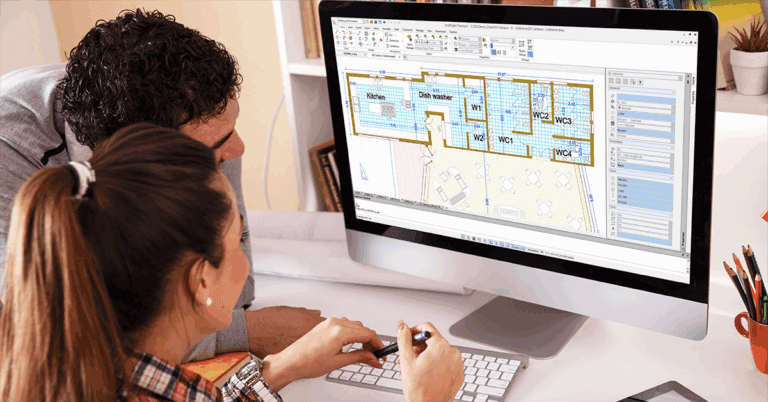
DraftSight’s DWG Viewer is not limited to just opening files. Once a drawing is loaded, you can:
Inspect dimensions
Check layers and their properties
Look at drawing information and properties
Zoom in to any area that you need to review more closely
This makes it a practical tool for anyone who needs to read DWG content in detail, without starting a full design workflow.
The viewer also supports a wide range of DWG versions. DraftSight can open files created in older AutoCAD® releases, including some that other programs may struggle to read. This is especially useful when you:
Work with archived drawings
Collaborate with external partners using different CAD systems
Need to access both legacy and current project files
Installation and System Requirements
DraftSight is available for both Windows and macOS. The installation process is straightforward, and the software does not require high end hardware to run for viewing purposes.
If you need a DWG viewer on Windows or macOS, the setup is quick and does not get in the way of your workday.
You can also try DraftSight with a free DWG viewer experience via the 30 day trial. During this period, you have full access to the software, so you can open, view and work with DWG files using all available tools.
Frequently Asked Questions About DWG Viewing
Is there a free DWG viewer
Yes. DraftSight offers DWG viewing through the DraftSight Premium free trial. For 30 days you have full access to viewing tools and other features included in the trial.
How do I open a DWG file
Install DraftSight, start the program, then:
Go to the File menu
Select Open
Browse to your DWG file and select it
The file opens directly. There is no need to convert it to another format first.
What is the best free DWG viewer
The right viewer depends on how you work. If you need:
Strong version compatibility
CAD level navigation and viewing tools
A way to inspect drawings during a trial period
then DraftSight is a solid option to consider.
Can I open a DWG file without AutoCAD
Yes. You do not need AutoCAD to view or open a DWG file. DraftSight can read DWG files accurately, keeping the layout, geometry and formatting intact.
Can I use a DWG viewer online
Yes. Online DWG viewers let you upload a file from your computer and view it in a browser. This can be useful when:
You need a quick check and do not have access to your usual workstation
You are working from a different device
However, most online viewers provide limited tools compared to desktop software. They can be suitable for simple checks, but for tasks such as:
Measuring precisely
Inspecting layers and properties
Working with large or complex drawings
a desktop solution like DraftSight gives you more control and better performance. Both options can complement each other depending on where and how you are working.
Ready to Improve Your Design and Manufacturing Workflow
If you want to streamline your CAD and CAM processes and get more value from your existing tools, our team at CADVision Systems is here to help. We support engineers and designers in Singapore and Malaysia with the right software, training, and guidance for real projects. Contact us today!
Adapted from DraftSight Blog: “DraftSight’s DWG Viewer”.